Community news people can return to.

Publish practical updates and community news in one place. Choose whether a post is for residents or appropriate for the public website.

Write and publish a news post

Velabo

Emil and Oliver sitting on a sofa with an iPad.

The useful update should not disappear in a chat.

Keep the next maintenance notice, meeting information or community announcement with the rest of your information. Residents have a place to check the details when they need them.

Learn more about other digital solutions

How the online bulletin board works

Publish a useful update where residents can find it again.

… or read stories from other communities

Write a useful update

Add the practical news, document or image your community wants to share.

Choose the audience

Decide whether the update is for residents or website visitors.

Include the next step

Explain what is changing and whom people should contact.

Keep discussion in the right place

Use the communication tools when a notice needs a conversation.

Return to earlier notices

Keep useful updates available and maintain them when details change.

Tell the relevant people

Use an appropriate message when residents need to know about a new post.

Screenshot from Velabo showing an empty news-section

A useful notice is there when someone returns.

Keep the next maintenance update or community announcement in one place. Residents can come back to the published information without searching a private chat.
Learn about communities using Velabo
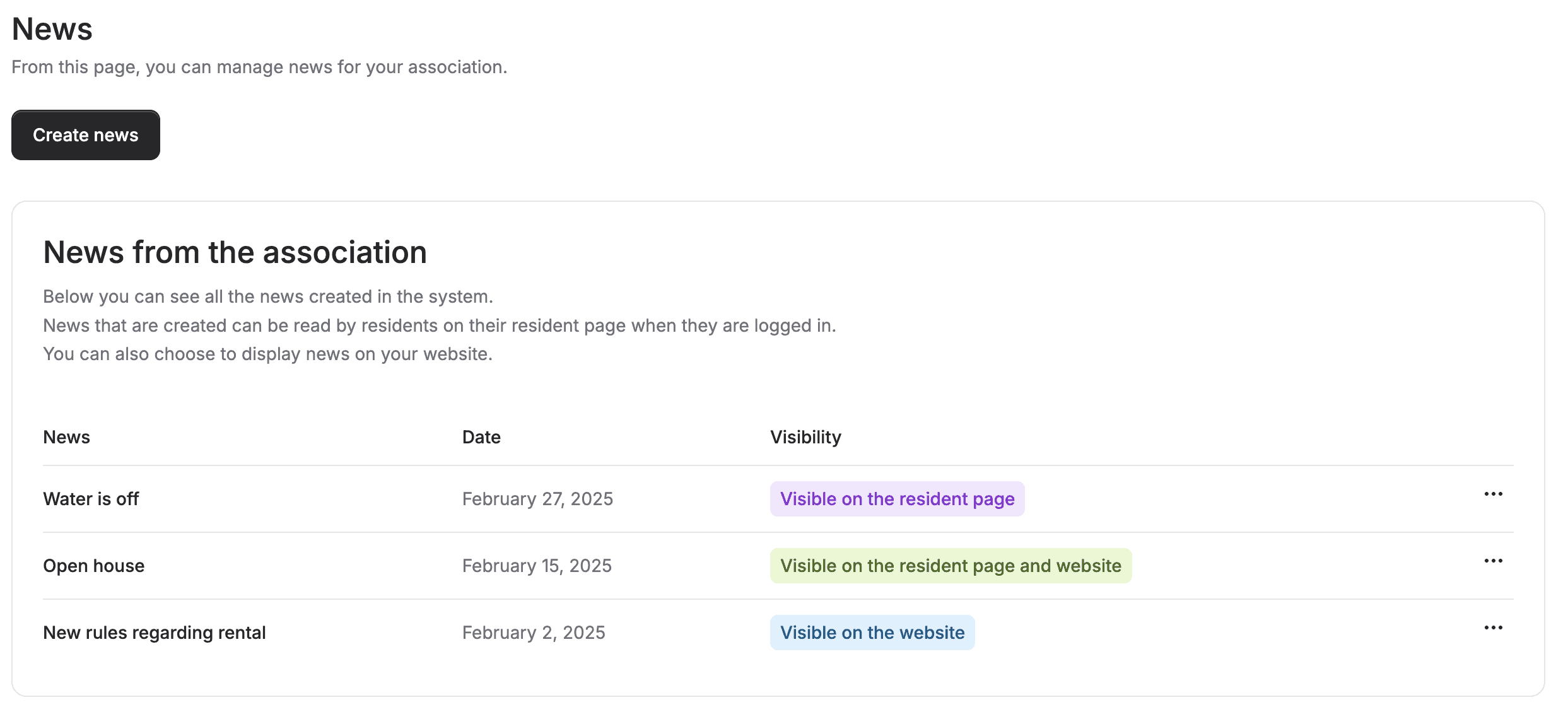
Screenshot from Velabo showing a list of news and their visibility

Publish the update. Keep the discussion in its place.

Use a post for the information residents need to read. Use the communication tools for the questions and discussion that follow, with the relevant audience.
Learn more about the messaging system
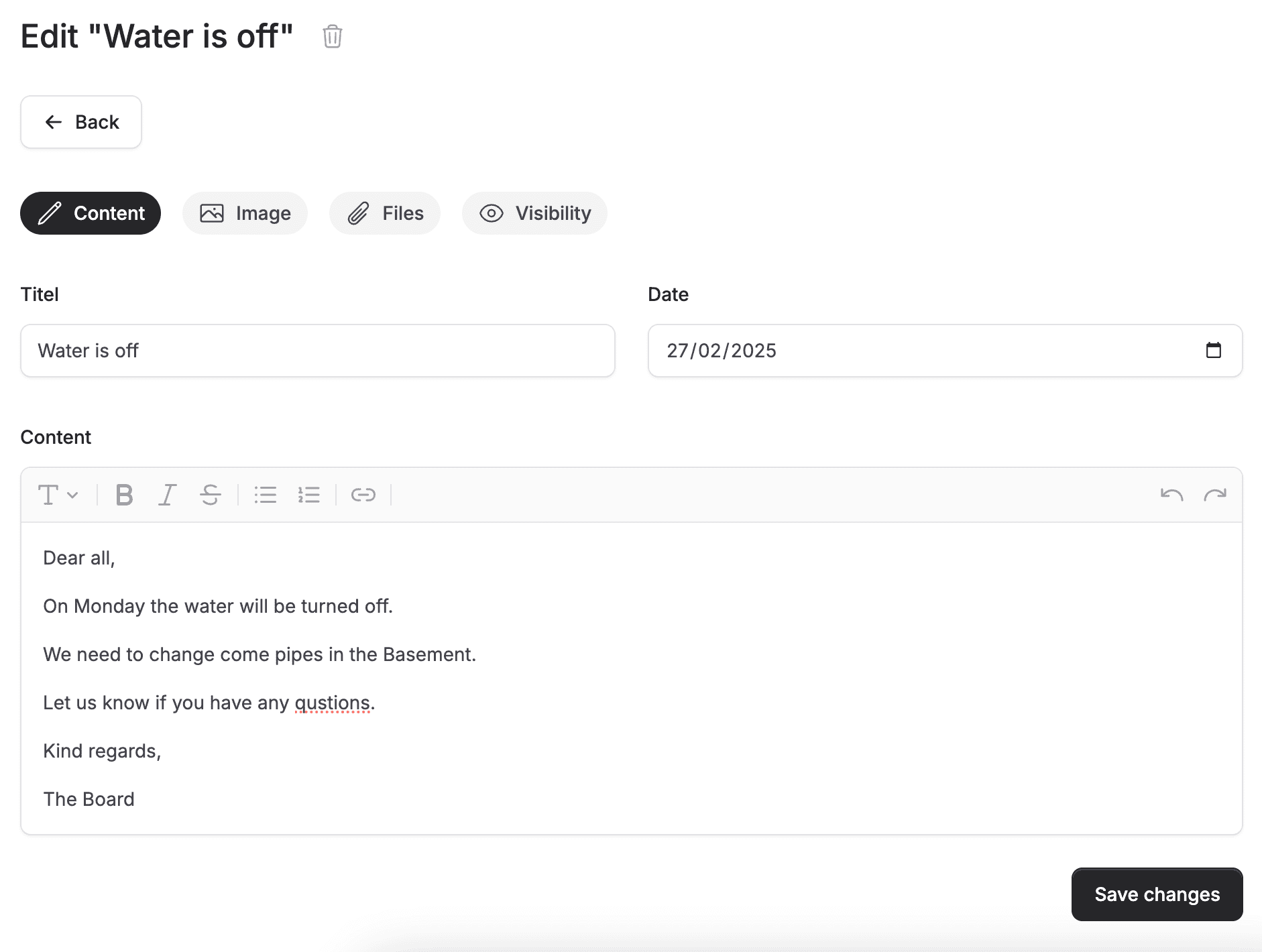
Screenshot from Velabo showing the creation of a news item

Useful for the practical news people share.

Publish workday arrangements, changes to shared facilities or the next community gathering. Give the update a clear title and include where people should go with a question.

Explore more tools for community boards

Put your first update on the board

See how the online bulletin board brings news and announcements together, giving residents a place to catch up on community life.

Easily Share Important Updates with the Bulletin Board | Velabo - Bulletin Board

YouTube · Recorded before the change of name to Velabo.
Can a post be for residents only?
Use the audience and visibility appropriate to the post. Share resident information in the community space intended for residents.
What can we use the board for?
Share a practical update, a maintenance notice or community news where residents can find it alongside the information about living here.
What if an update is especially important?
Use the communication channels appropriate to the message and follow up with the people who need it. A post gives residents a shared place to find the information.

Start with the next resident update.

Write the practical information and check its visibility. Keep the notice current when details change and use an appropriate message if people need to hear about the update.

Oliver Lindebod

Oliver Lindebod

Co-founder

Write to Oliver directly, or send a request for a video meeting.

oliver@anyhoa.com
Request a video meeting

Tell us who you are and when might suit you. We will agree the time with you by email.

Request a video meeting

We use these details to follow up on your meeting request. Privacy policy

Anyhoa is now Velabo.

Anyhoa is now Velabo. A new name. The same people. The name has been waiting in the wings for a long time. Our familiar symbol tells the story: a sail catches the wind, takes the shape of a home, then comes together as Velabo. Vela is Latin for sails. Bo is Danish for living somewhere: home and belonging. Software for the communities we call home.

Our story