Make everyday board work easier.

Find the minutes. Update residents. Follow up on repairs. Velabo helps boards and committees share documents, messages and tasks, even when volunteers change.
Velabo

The work between meetings.

A contractor needs an answer. Residents need an update. Someone has to find the last set of minutes. Keep the records and the next step together.

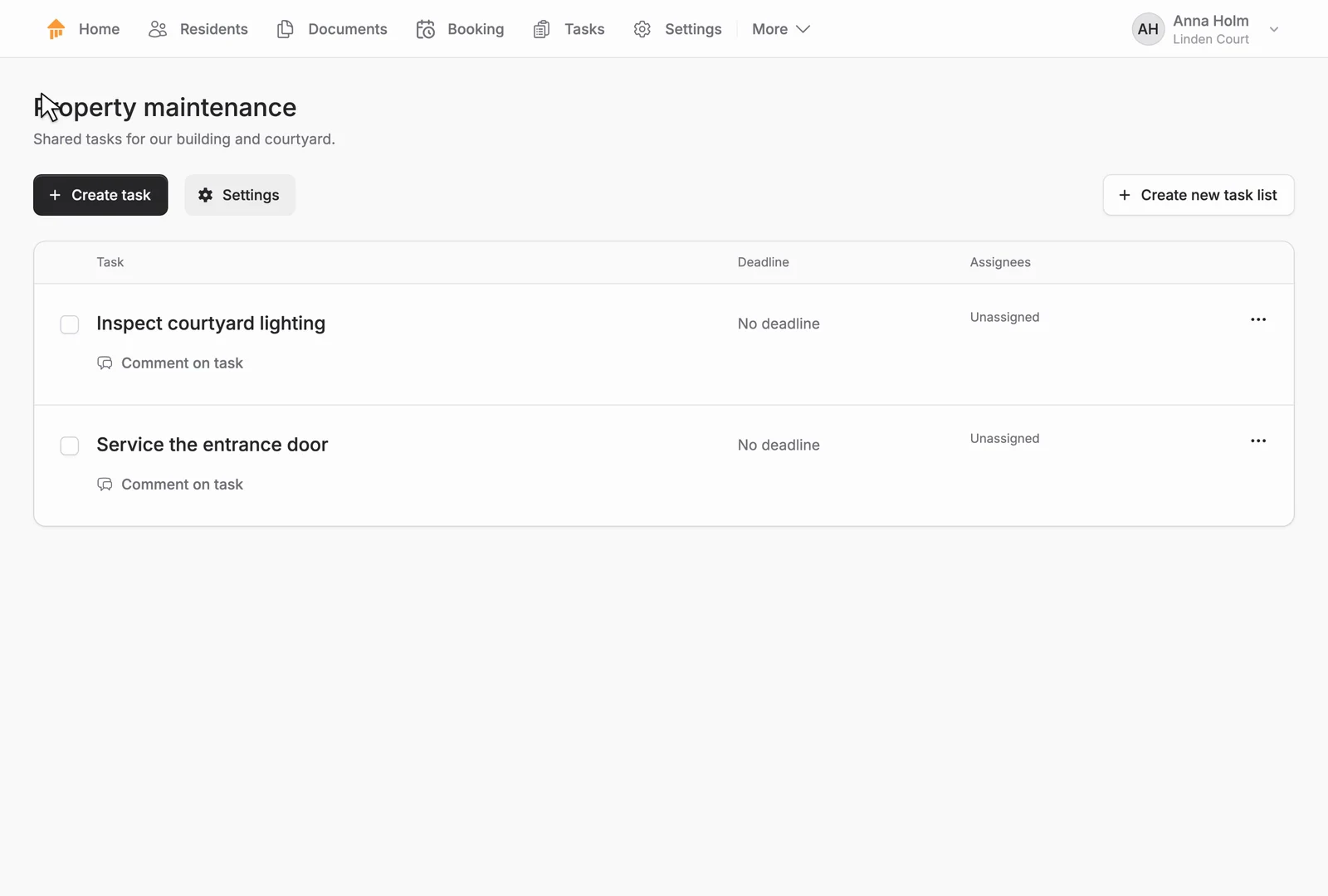
The board’s task list in Velabo.

Find the record you need.

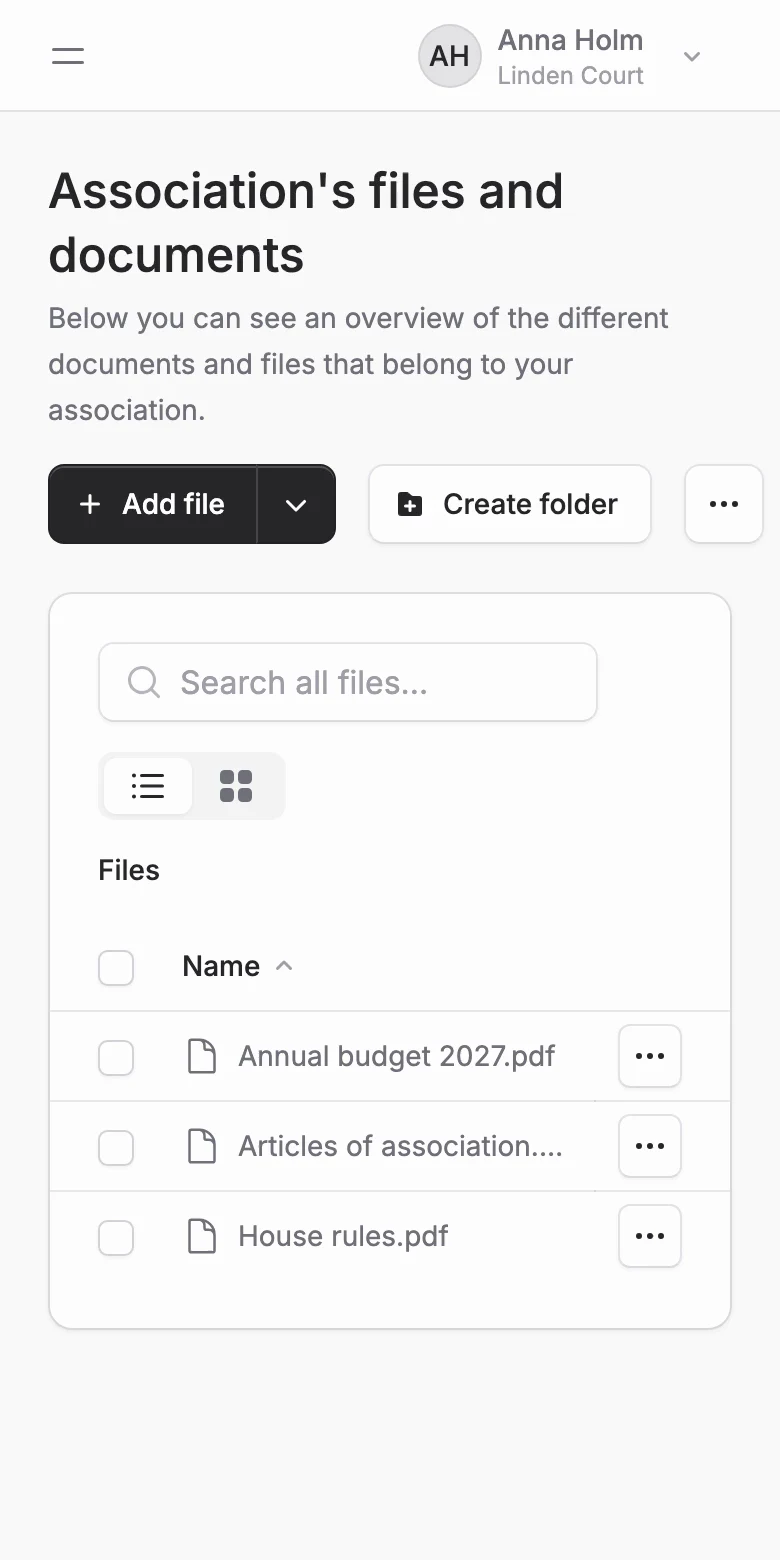
Keep community rules, minutes and agreements with the association. Give fellow board or committee members the same starting point, and choose which documents residents can see.

Explore document storage

Keep residents in the loop.

Share a maintenance update or a change to the next meeting. Keep resident information easy to find and use the board’s conversation spaces for work that belongs with the board.

Explore communication

Keep track of who’s doing what.

Give the contractor follow-up or the next repair a named owner. Track what is still open between meetings, so the person covering for you can pick up the work.

Explore board tasks

In other communities’ words.

Feedback from communities using Anyhoa, now Velabo.

We’re a very small association, so it’s great to have a really affordable system that helps us manage communication, information sharing, and our website. I’d be happy to recommend Anyhoa!
LouisePresident
A really great tool for communicating with residents in your housing association. We’ve had to realize that email and Facebook weren’t the solution, and we found everything we need in this app. You don’t need to be trained in IT to use this solution because it’s really intuitive, and you’re guided through it.

LasseChairman
Emil, Bo and Oliver from the Velabo team.
Emil, Bo and Oliver. The team behind Velabo.

The knowledge stays. Even when the board changes.

The next volunteer should be able to find the records and unfinished work. Keep the community’s history in its own system, then review access and responsibilities when board or committee members change.

  • Give new members access to the minutes, agreements and ongoing work.
  • Agree who takes over the tasks that are still open.
  • Review former board members’ access.
Explore roles and accessWorking with an association manager?

Try a real task before your next meeting.

Pick something concrete to try. Then make the decision based on your own working day before choosing a paid plan.

  1. Pick one task to try

    Create your community and invite a fellow board or committee member. Use the 30-day trial to try the work you already need to do.

  2. Bring the material you use

    Add a set of minutes and your community rules. Find them together and send an update. Documents and communication are among the six trial features.

  3. Decide together

    At the next meeting, check whether everyone can find the material and follow the messages. Compare the paid plan with what your board needs.

Explore the trial and paid plan

Before your board gets started.

Can I try Velabo before the whole board decides?
Yes. Create your community and use the 30-day trial to try a shared document and a message with another board member. Bring what you learn to the board before choosing a paid plan.
Can we use Velabo with an association manager?
Yes. Use Velabo for work your board and association manager share. Agree where you keep documents, how you send updates and who should have access.
Where should our board start?
Start with one everyday task: upload a set of minutes, find it together and send a message. The product videos show the steps, and our support team can help when you have a question.
Watch a product introduction
How much does Velabo cost?
You can try Velabo free for 30 days with a website, communication tools, shared facility booking, invoice handling, waiting lists and document management. The paid plan costs DKK 199 per month excluding VAT and includes all features.
See the trial and paid plan
Who can read the board’s conversations?
Use the board’s conversation rooms and their access settings for board work. Check who has access before sharing a conversation or document, and post resident updates in the spaces intended for residents.
How do we control access to documents?
Set access for files and folders according to your community’s roles. Review who can see a document before adding sensitive material, and review access when board members change.
How do we get other board members on board?
Try finding a set of minutes together and sending a message. Documents and communication are among the six trial features. Bring what you learn to your next board meeting, then decide whether to choose a paid plan.
Can our board also approve invoices?
Yes. Board members can review and approve invoices in Velabo. Explore the workflow and see how it fits the way you work with your manager.
Explore invoice approvals

Make everyday board work easier.

Try Velabo with your own community. Ask Oliver if you’d like help finding the right place to start.

Oliver Lindebod

Oliver Lindebod

Co-founder

Write to Oliver directly, or send a request for a video meeting.

oliver@anyhoa.com
Request a video meeting

Tell us who you are and when might suit you. We will agree the time with you by email.

Request a video meeting

We use these details to follow up on your meeting request. Privacy policy

Anyhoa is now Velabo.

Anyhoa is now Velabo. A new name. The same people. The name has been waiting in the wings for a long time. Our familiar symbol tells the story: a sail catches the wind, takes the shape of a home, then comes together as Velabo. Vela is Latin for sails. Bo is Danish for living somewhere: home and belonging. Software for the communities we call home.

Our story